-
Shop
- Adidas
- Advanced Technologies
- AI Skills Mastery 2026 Collection
- Best-Sellers
- Calvin Klein
- Car Accessories
- Confidence
- Dating & Social Skills
- Digital Resources
- AI & Technology
- AI Skills
- Beauty
- Budgeting & Saving
- Car Buying & Ownership
- Cozy Feast Collection
- Electronics & Technology
- Entrepreneurship & Business Growth
- Financial Education
- Financial Independence
- Financial Mindset & Psychology
- Goal Setting
- Hobbies
- Home Styling & Organization
- Kitchen & Recipes
- Leadership
- Mindset
- Online Business
- Parenting & Child Development
- Personal Style & Fashion
- Pet Lifestyle & Wellness
- Positive Thinking
- Sleep Improvement
- Stress Management & Relaxation
- Travel Planning
- Yoga & Fitness
- Yoga & Mind-Body Practices
- Education & Learning
- Family & Parenting
- Fashion
- Alexander McQueen
- Bags
- Bags & Wallets
- Balenciaga
- Belts
- Blazers
- Bottega Veneta
- Brunello Cucinelli
- Burberry
- Chanel
- Chloé
- Dior
- Dolce & Gabbana
- Dresses
- Etro
- Fendi
- Gucci
- Hats & Hair Accessories
- Hoodies & Sweatshirts
- Jacquemus
- Jewelry
- Jil Sander
- Keychains
- Kiton
- Luggage
- Miu Miu
- Off-White
- Prada
- Rick Owens
- Saint Laurent
- Socks & Tights
- Sweaters & Cardigans
- The Row
- Tom Ford
- Tops & Shirts
- Valentino
- Valentino Garavani
- Versace
- Vivienne Westwood
- Watches
- Furniture
- Gadgets
- Health & Beauty
- Health & Wellness
- Home & Garden
- Kids & Babies
- Kitchen
- Lighting
- Patio, Lawn & Garden
- Personal Growth
- Pet Care
- Pet Supplies
- Pets
- Shoes
- Smart Home Living Guides
- Sport & Outdoors
- Stress Relief & Relaxation
- TikTok Growth & Monetization Mastery
- Travel
- Travel & Adventure
- Wealth
- Wellness
- YouTube Shorts Best-Sellers
- Popular
- Best deals
60″ L-Shaped Farmhouse Desk: Drawers + Charging Made Easy
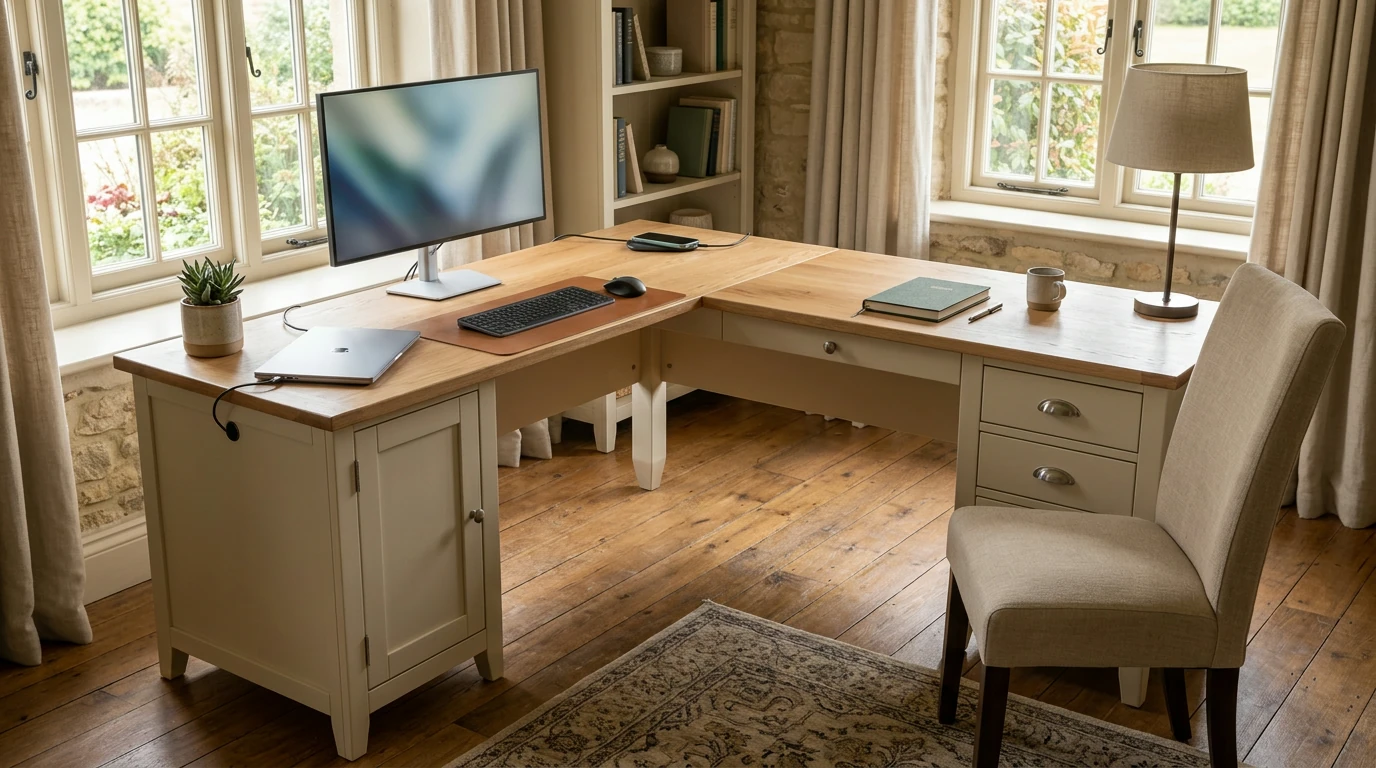
A corner-friendly desk that helps your workday feel less scattered
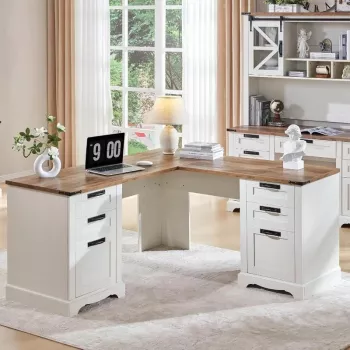
A home office should feel pulled together and work-ready—without turning into a tangle of cables and stacked paperwork. Our 60″ L-Shaped Farmhouse Executive Desk with Drawers and Charging Station brings a spacious corner-friendly layout, built-in storage, and a charging station to help keep daily tasks organized, devices powered, and your workspace looking intentionally styled.
What this desk brings to a busy workday
- L-shaped footprint: creates a natural division between “computer work” and “paperwork / planning” zones so you’re not constantly clearing space to switch tasks.
- Farmhouse-inspired presence: adds warmth that suits a home setting while still giving you an executive-scale surface for real work.
- Drawers for daily essentials: keep tools close while reducing the visual clutter that can make a long day feel longer.
- Built-in charging station: supports a cleaner setup for laptops, phones, and accessories—less reaching under the desk for outlets and fewer cables cutting across the room.
How to set up the L-shape for your room
The best layout is the one that reduces friction: fewer bumps, fewer cord tangles, and fewer “where did I put that?” moments.
- Choose the corner first: place the inner corner where sightlines feel calm—often facing a wall, a window, or open space, depending on what helps you focus.
- Pick your primary wing: dedicate one side to your main monitor/laptop, and use the other wing for writing, a printer, or reference materials.
- Protect walkways and drawer access: leave comfortable clearance behind your chair and along the drawer side so everything opens easily.
- Plan cord routing early: position the charging side closest to the devices you plug in most often to keep cable runs short and predictable.
Drawers and desktop organization that stays practical
Organization works best when it matches how you actually move through a day—quick grabs, quick resets, and a clear path from “incoming” to “done.”
- Assign drawers by frequency: put daily items (pens, notepad, chargers) in the most accessible drawer; keep back-stock (extra paper, spare supplies) in secondary drawers.
- Build a paper flow that doesn’t spread: create one spot for “inbox,” one for “today,” and one for “file/scan.” Even a simple tray system prevents desk-wide piles.
- Use small organizers inside drawers: prevent the adapter/flash-drive/earbud “junk drawer” effect and make resets faster.
- Keep a clear landing zone: reserve a portion of the desktop for signing forms, jotting notes, or opening mail—no rearranging required.
Charging station: a cleaner, calmer cable setup
A tidy charging routine saves time and keeps your desk from feeling like a power strip display.
- Use it for daily devices: phone, tablet, and headphones can live on the charging station so your main work surface stays open.
- Choose shorter cables: less looping reduces visual noise; route any extra length toward the back edge.
- Group power by zone: keep “work wing” power (laptop/monitor) consistent, and “support wing” power (phone/printer) together so cords don’t crisscross.
- Keep it safe and ventilated: avoid covering power components with paper stacks or fabric accessories, and keep liquids away from charging areas.
Farmhouse executive style—without making the office feel formal
“Executive” doesn’t have to mean stiff. With a few choices, your office can feel elevated and livable at the same time.
Quick sizing and planning guide
- Measure both walls: include baseboards and trim so your L-shape doesn’t land awkwardly.
- Confirm drawer clearance: ensure drawers open fully without hitting chair arms or nearby storage.
- Think upward: wall shelves or a cork rail above one wing keeps the desktop clear.
- Support comfortable posture: aim for monitor height that keeps your neck neutral; add a riser if needed. For ergonomic basics, sources like OSHA’s Computer Workstations eTool and Mayo Clinic’s office ergonomics guide offer practical checkpoints.
Workspace planning checklist (copy-and-use)
| Planning item | What to measure/decide | Why it matters |
|---|---|---|
| Corner width (both walls) | Measure along each wall where the desk will sit | Helps confirm the L-shape fits without blocking doors or vents |
| Chair clearance | Space behind chair for push-back and standing up | Prevents a cramped feel during long work sessions |
| Drawer access | Room to open drawers fully | Keeps storage usable instead of frustrating |
| Power access | Nearest outlet and where devices will sit | Supports a clean cable plan and avoids stretched cords |
| Task zones | Choose “computer wing” vs “paperwork wing” | Improves flow and keeps projects from spreading |
Care and long-term use tips
What pairs well in a work-from-home space
- Room-level lighting that clears your desk: our team likes a ceiling fixture that brightens the whole space so you don’t need extra lamps crowding the work surface—see our Heart Shaped Crystal Ceiling Light.
- A reliable everyday carry: a structured bag makes it easier to move notebooks, chargers, and headphones between rooms (or out the door) without losing the small stuff—try our Elegant Casual Leather Tote Bag for Everyday Style.
FAQ
Will an L-shaped desk fit in a small home office?
Yes, as long as you measure both wall runs and plan enough chair clearance to sit and stand comfortably. Prioritize one wing as your main work zone and use vertical storage (shelves or rails) to keep the desktop open.
How should the drawers be organized for daily work and paperwork?
Use a frequency-based system: keep daily essentials in the easiest-to-reach drawer and back-stock in secondary drawers. For paperwork, stick to a simple “inbox / today / file or scan” flow and use small drawer organizers to prevent clutter.
How can the charging station stay neat and safe?
Use short cables, group devices by zone (work wing vs support wing), and route extra length toward the back edge so cords don’t sprawl. Keep paper stacks, fabric items, and drinks away from power components to reduce heat and spill risks.











Leave a comment