-
Shop
- Adidas
- Advanced Technologies
- AI Skills Mastery 2026 Collection
- Best-Sellers
- Calvin Klein
- Car Accessories
- Confidence
- Dating & Social Skills
- Digital Resources
- AI & Technology
- AI Skills
- Beauty
- Budgeting & Saving
- Car Buying & Ownership
- Cozy Feast Collection
- Electronics & Technology
- Entrepreneurship & Business Growth
- Financial Education
- Financial Independence
- Financial Mindset & Psychology
- Goal Setting
- Hobbies
- Home Styling & Organization
- Kitchen & Recipes
- Leadership
- Mindset
- Online Business
- Parenting & Child Development
- Personal Style & Fashion
- Pet Lifestyle & Wellness
- Positive Thinking
- Sleep Improvement
- Stress Management & Relaxation
- Travel Planning
- Yoga & Fitness
- Yoga & Mind-Body Practices
- Education & Learning
- Family & Parenting
- Fashion
- Alexander McQueen
- Bags
- Bags & Wallets
- Balenciaga
- Belts
- Blazers
- Bottega Veneta
- Brunello Cucinelli
- Burberry
- Chanel
- Chloé
- Dior
- Dolce & Gabbana
- Dresses
- Etro
- Fendi
- Gucci
- Hats & Hair Accessories
- Hoodies & Sweatshirts
- Jacquemus
- Jewelry
- Jil Sander
- Keychains
- Kiton
- Luggage
- Miu Miu
- Off-White
- Prada
- Rick Owens
- Saint Laurent
- Socks & Tights
- Sweaters & Cardigans
- The Row
- Tom Ford
- Tops & Shirts
- Valentino
- Valentino Garavani
- Versace
- Vivienne Westwood
- Watches
- Furniture
- Gadgets
- Health & Beauty
- Health & Wellness
- Home & Garden
- Kids & Babies
- Kitchen
- Lighting
- Patio, Lawn & Garden
- Personal Growth
- Pet Care
- Pet Supplies
- Pets
- Shoes
- Smart Home Living Guides
- Sport & Outdoors
- Stress Relief & Relaxation
- TikTok Growth & Monetization Mastery
- Travel
- Travel & Adventure
- Wealth
- Wellness
- YouTube Shorts Best-Sellers
- Popular
- Best deals
Desk Zen: Declutter Your Home Office Without Overwhelm
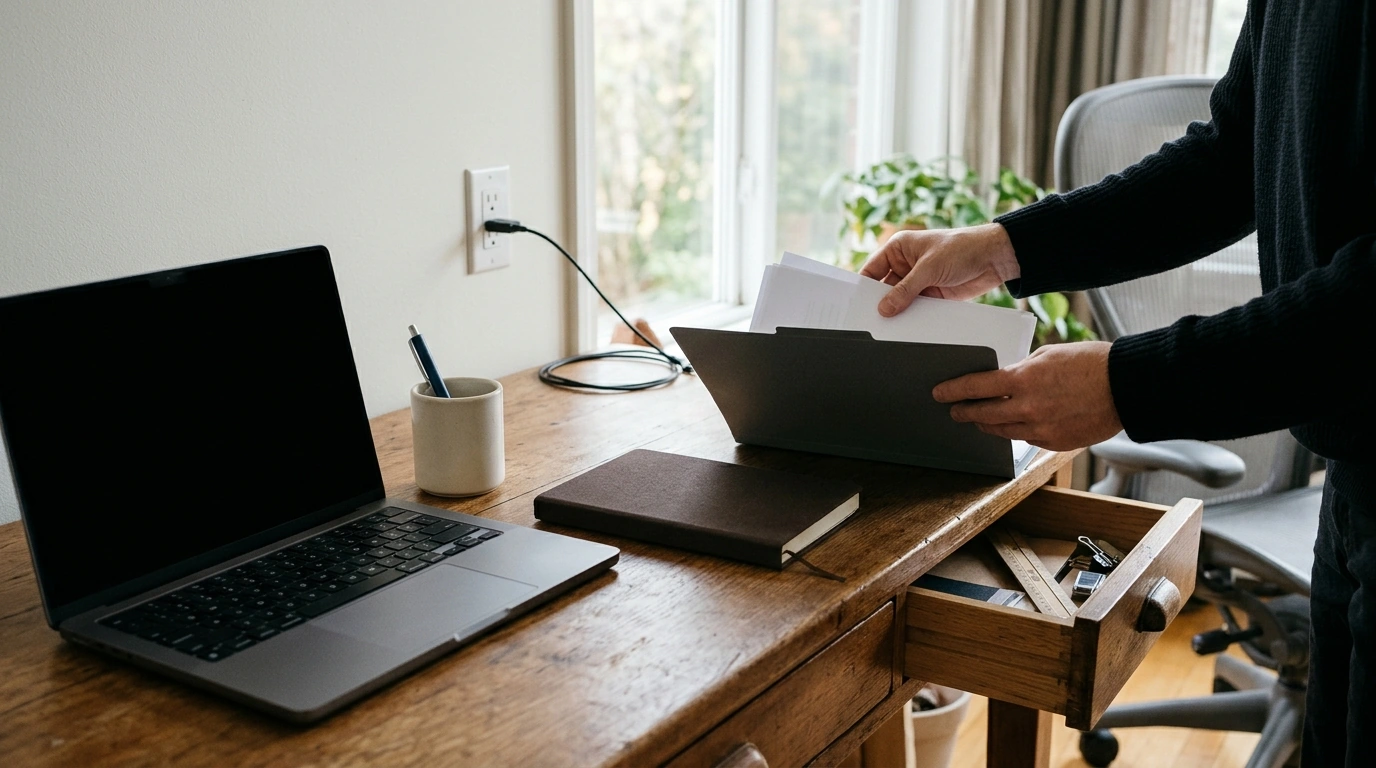
Papers have settled beside your keyboard, a spare charger is draped across the desk, and the pen you need has disappeared again. When your work surface feels busy before the day begins, the answer does not have to be a perfect home office or a full weekend of organizing. Start with the spot you use most. Make room for the work you do there, then give the everyday essentials a place to return.
Start with the space you actually use
Choose one surface: your desk, a shared table, or the corner where you handle household paperwork. Set aside a short session and decide what that space needs to support. If you work on a laptop and take notes, for example, you need room for both—not necessarily every supply you own.
As you lift items off the surface, make three temporary groups: needed here, needed elsewhere, and ready to discard or recycle. Put uncertain items to one side until the end. That way, deciding what to do with an old receipt does not stop the entire reset.
Once the surface is clear, wipe it down if needed. Then return the things that support a typical workday. You can tackle drawers, shelves, and old computer files in separate sessions.
Give your desk a clear working zone
Put your most-used tools back first. Keep enough open space in front of your keyboard or writing pad to do the task at hand without shifting a stack of papers. A notebook you use daily may belong within reach; an extra box of pens probably does not.
Move occasional supplies to a drawer, shelf, or container nearby. They do not need matching organizers. A designated place—one you can remember and reach—does more for your routine than a container that looks good but gets in your way.
Comfort matters, too. Notice whether you repeatedly twist toward your screen, lean forward, or stretch for supplies. Adjust your chair, screen, and frequently used items so your usual tasks feel easier to do. For detailed setup guidance, consult the OSHA Computer Workstations eTool. Keep walkways and access to outlets clear as you rearrange.
Make a simple decision for every loose item
Sorting gets easier when each item has a next step. Use this table as a prompt, not a shopping list; the destination can be a drawer, folder, or container you already have.
| What you find | Question to ask | Next step |
|---|---|---|
| Daily-use tool | Do I reach for it most workdays? | Keep it within easy reach. |
| Occasional supply | Will I know where to find it later? | Store it in one labeled spot. |
| Loose paper | Is it active, required, or no longer needed? | File, act on, or dispose of it appropriately. |
| Item from another room | Does it support work here? | Return it to its proper place. |
| Old digital file | Do I still need this version? | Archive or remove it after checking. |
Give active paperwork an accessible home so you can act on it. Keep records worth retaining in a separate, reliable place, and follow any applicable retention requirements before discarding important documents. If a paper needs a decision from someone else, make a note of that next action instead of leaving it in the middle of your desk.
Digital clutter deserves the same manageable approach. Pick one small task, such as clearing files from your computer desktop or naming folders for current projects. You do not need to reorganize years of files while resetting your physical workspace.
Create calm without making the room impractical
A calm desk is personal. You may prefer a nearly empty surface, while someone else works better with a notebook and a few meaningful objects close by. The useful question is whether each item helps you work or makes you work around it.
Give cables, charging devices, and backup supplies a home so they do not spread across the surface again. If you move between rooms for work, one portable place for your daily essentials can help. Our Elegant Casual Leather Tote Bag for Everyday Style is an option if a tote fits that routine; use what you already own if it does the job.
Test your arrangement during a normal workday before buying storage or making permanent changes. Pay attention to what you keep reaching for and where papers naturally collect. Then adjust the setup to match your workflow rather than forcing yourself to maintain an arrangement that interrupts it.
Keep the clean slate with a five-minute reset
At the end of the day, put tools back in their places, move completed papers to their next destination, and clear your main working zone. Before you step away, note the first task you want to tackle tomorrow. That small cue can make it easier to begin without searching through yesterday’s notes.
Once a week, check the things that build up gradually: mail, spare stationery, downloads, and unfinished notes. Choose a next step for each rather than letting a new pile become part of the furniture.
If you want a dedicated resource as you tidy and organize, our Desk Zen: Clean Slate Office digital eBook guide focuses on decluttering and creating a calm home workspace. The goal is not a desk that stays spotless. It is a workspace you can use comfortably and reset without a major project.
FAQ
Where should I start if my home office feels overwhelming?
Choose one work surface, remove what does not belong, and put back only what supports your usual work. Save drawers and digital files for separate sessions.
How do I keep my desk from getting cluttered again?
Assign everyday items a place and finish work with a brief reset. Review paper and digital buildup once a week.
Do I need to buy organizers to create a calmer workspace?
No. Sort what you have and test where it belongs first; buy storage only if a specific need remains.
Recommended for you



The 2% Rule in Commercial Real Estate: How It Works
Oct 25, 2026













Leave a comment