-
Shop
- Adidas
- Advanced Technologies
- AI Skills Mastery 2026 Collection
- Best-Sellers
- Calvin Klein
- Car Accessories
- Confidence
- Dating & Social Skills
- Digital Resources
- AI & Technology
- AI Skills
- Beauty
- Budgeting & Saving
- Car Buying & Ownership
- Cozy Feast Collection
- Electronics & Technology
- Entrepreneurship & Business Growth
- Financial Education
- Financial Independence
- Financial Mindset & Psychology
- Goal Setting
- Hobbies
- Home Styling & Organization
- Kitchen & Recipes
- Leadership
- Mindset
- Online Business
- Parenting & Child Development
- Personal Style & Fashion
- Pet Lifestyle & Wellness
- Positive Thinking
- Sleep Improvement
- Stress Management & Relaxation
- Travel Planning
- Yoga & Fitness
- Yoga & Mind-Body Practices
- Education & Learning
- Family & Parenting
- Fashion
- Alexander McQueen
- Bags
- Bags & Wallets
- Balenciaga
- Belts
- Blazers
- Bottega Veneta
- Brunello Cucinelli
- Burberry
- Chanel
- Chloé
- Dior
- Dolce & Gabbana
- Dresses
- Etro
- Fendi
- Gucci
- Hats & Hair Accessories
- Hoodies & Sweatshirts
- Jacquemus
- Jewelry
- Jil Sander
- Keychains
- Kiton
- Luggage
- Miu Miu
- Off-White
- Prada
- Rick Owens
- Saint Laurent
- Socks & Tights
- Sweaters & Cardigans
- The Row
- Tom Ford
- Tops & Shirts
- Valentino
- Valentino Garavani
- Versace
- Vivienne Westwood
- Watches
- Furniture
- Gadgets
- Health & Beauty
- Health & Wellness
- Home & Garden
- Kids & Babies
- Kitchen
- Lighting
- Patio, Lawn & Garden
- Personal Growth
- Pet Care
- Pet Supplies
- Pets
- Shoes
- Smart Home Living Guides
- Sport & Outdoors
- Stress Relief & Relaxation
- TikTok Growth & Monetization Mastery
- Travel
- Travel & Adventure
- Wealth
- Wellness
- YouTube Shorts Best-Sellers
- Popular
- Best deals
75% Wireless Hot-Swap Gaming Keyboard w/ Knob & RGB
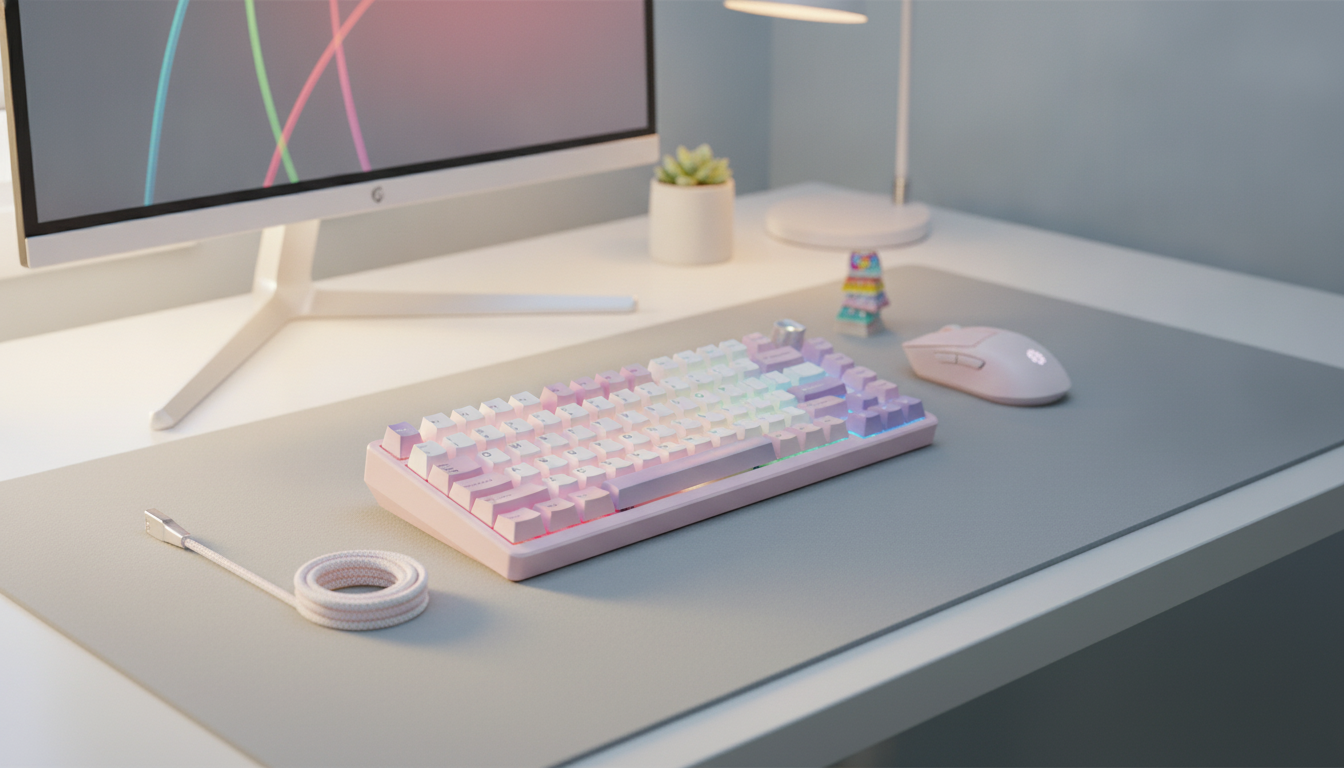
75% Wireless Mechanical Gaming Keyboard with Knob and Hot-Swap RGB Backlighting
A compact 75% layout can free up mouse space without giving up the keys used most in games and daily work. This keyboard pairs wireless flexibility with a tactile mechanical feel, a dedicated control knob for fast adjustments, hot-swap sockets for easy switch changes, and vivid RGB lighting for both function and atmosphere. For players who want a cleaner desk, less cable fuss, and room to personalize the feel over time, a 75% wireless mechanical keyboard hits a sweet spot between performance and practicality. For more guidance, see Epomaker TH80 v2 PRO Mechanical Keyboard review.
What a 75% Layout Changes on the Desk
A 75% keyboard keeps the essentials—function keys, arrows, and a compact navigation cluster—while trimming the overall width. That extra desk space often matters more than expected, especially for low-sensitivity mouse users who need broad swipes for consistent aim. For further reading, see [Sponsored] RK-S98 Mechanical Keyboard review – Geekhack.
- Keeps a dedicated function row and navigation cluster while reducing overall width for more mouse room.
- Supports cleaner setups: less cable clutter and a tighter keyboard-to-mouse distance for long sessions.
- Often feels like a “full-size minus the number pad” experience, helpful for users who still rely on F-keys and arrow keys.
The tighter footprint can also encourage a more centered posture. With less reach between keyboard and mouse, shoulders and wrists tend to stay in a more neutral position during long nights of ranked queues or extended work blocks.
Wireless Play: Stability, Latency, and Everyday Convenience
Wireless is about more than aesthetics. It helps when switching between a main rig and a work laptop, using a standing desk, or relaxing with a couch setup where cable routing is inconvenient. For gaming, what matters most is steady performance under real-world conditions.
- Wireless operation helps with flexible positioning (couch play, moving between desks, or docking setups).
- For fast-paced games, consistent connection and interference management matter as much as raw speed; keep the receiver close and avoid congested USB hubs when possible.
- Charging habits impact reliability: topping up before long sessions reduces unexpected drop-offs during ranked play or raids.
If a keyboard supports full rollover and solid anti-ghosting behavior, it can better handle complicated key combinations without dropped inputs; a helpful primer on the concept is N-key rollover. Practical tip: place the wireless receiver on a front USB port (or a short extension) rather than behind a metal PC case or near other high-interference devices.
The Knob: Quick Control Without Leaving the Game
A control knob is one of those features that feels optional—until it becomes part of muscle memory. During intense moments, reaching for a function layer or alt-tabbing to adjust audio can pull attention away from what’s happening on-screen.
- A dedicated knob is ideal for rapid volume changes, muting, or adjusting brightness without hunting for function-layer shortcuts.
- Useful for creators and multitaskers: timeline scrubbing, zoom, or app switching (depending on software/shortcuts).
- Look for a knob that feels stable and has predictable steps (or smooth rotation) so adjustments don’t overshoot.
For daily use, the knob can also reduce repetitive key chords. That can be a small comfort win over time, especially if you frequently adjust volume during meetings or swap between music, Discord, and game audio.
Hot-Swap Switches: Tuning Feel and Sound Over Time
Hot-swap sockets make mechanical keyboards more approachable. Instead of committing to one switch type forever, you can pull a switch, drop in another, and test different feels with minimal downtime. This is ideal for players who want light, fast movement keys but prefer a more deliberate feel for typing.
For a deeper overview of switch families and how they’re engineered, see Cherry’s guide to mechanical switches. When swapping, align pins carefully and press straight down—most switch damage comes from forcing a misaligned pin.
Switch feel at a glance
| Switch style | What it feels like | Best fit | Noise level |
|---|---|---|---|
| Linear | Smooth keystroke, no bump | Fast repeated inputs and consistent movement keys | Low–Medium |
| Tactile | Bump at actuation | Typing clarity with gaming versatility | Medium |
| Clicky | Bump plus audible click | Users who want maximum feedback | High |
RGB Backlighting That’s More Than Decoration
Comfort and Build Details That Influence Long Sessions
Product Snapshot: 75% Wireless Mechanical Gaming Keyboard with Knob
- Model: 75% Wireless Mechanical Gaming Keyboard with Knob, Hot-Swap RGB Backlit.
- Good fit for: gamers who want a compact layout, wireless freedom, and customization without soldering.
- Current availability: in stock.
At-a-glance details
| Item | Details |
|---|---|
| Product | 75% Wireless Mechanical Gaming Keyboard with Knob, Hot-Swap RGB Backlit |
| Price | 129.01 USD |
| Stock | 26 |
| Product page | View product |
Other In-Stock Picks for a Comfortable Setup
- Solid Wood Coffee Table with Storage Drawers for keeping controllers, cables, and accessories out of sight.
- Earth Design Kids Rug to add a softer surface in shared spaces.
- Infrared Sauna for One Person for post-session recovery and relaxation.
FAQ
What does hot-swap mean on a mechanical keyboard?
Hot-swap means you can remove and replace mechanical switches without soldering. It’s still important to use compatible switches and insert them carefully so the pins don’t bend.
Does wireless make a difference for gaming responsiveness?
Modern wireless keyboards can feel very responsive, especially with a stable connection and a nearby receiver. For best results, keep the receiver close, reduce interference from crowded USB hubs, and maintain a healthy battery charge.
What is a 75% keyboard and what keys are missing?
A 75% keyboard typically keeps the function row, arrow keys, and a compact navigation cluster while removing the number pad. The layout is denser than full-size, which saves desk space without dropping commonly used keys.
Recommended for you
Flexible Healthy Meal Plan: 1-Week Reset or 1-Month
Jun 23, 2026
New Kitten First Days: Calm Setup & Stress-Help Plan
Jun 23, 2026













Leave a comment