-
Shop
- Adidas
- Advanced Technologies
- AI Skills Mastery 2026 Collection
- Best-Sellers
- Calvin Klein
- Car Accessories
- Confidence
- Dating & Social Skills
- Digital Resources
- AI & Technology
- AI Skills
- Beauty
- Budgeting & Saving
- Car Buying & Ownership
- Cozy Feast Collection
- Electronics & Technology
- Entrepreneurship & Business Growth
- Financial Education
- Financial Independence
- Financial Mindset & Psychology
- Goal Setting
- Hobbies
- Home Styling & Organization
- Kitchen & Recipes
- Leadership
- Mindset
- Online Business
- Parenting & Child Development
- Personal Style & Fashion
- Pet Lifestyle & Wellness
- Positive Thinking
- Sleep Improvement
- Stress Management & Relaxation
- Travel Planning
- Yoga & Fitness
- Yoga & Mind-Body Practices
- Education & Learning
- Family & Parenting
- Fashion
- Alexander McQueen
- Bags
- Bags & Wallets
- Balenciaga
- Belts
- Blazers
- Bottega Veneta
- Brunello Cucinelli
- Burberry
- Chanel
- Chloé
- Dior
- Dolce & Gabbana
- Dresses
- Etro
- Fendi
- Gucci
- Hats & Hair Accessories
- Hoodies & Sweatshirts
- Jacquemus
- Jewelry
- Jil Sander
- Keychains
- Kiton
- Luggage
- Miu Miu
- Off-White
- Prada
- Rick Owens
- Saint Laurent
- Socks & Tights
- Sweaters & Cardigans
- The Row
- Tom Ford
- Tops & Shirts
- Valentino
- Valentino Garavani
- Versace
- Vivienne Westwood
- Watches
- Furniture
- Gadgets
- Health & Beauty
- Health & Wellness
- Home & Garden
- Kids & Babies
- Kitchen
- Lighting
- Patio, Lawn & Garden
- Personal Growth
- Pet Care
- Pet Supplies
- Pets
- Shoes
- Smart Home Living Guides
- Sport & Outdoors
- Stress Relief & Relaxation
- TikTok Growth & Monetization Mastery
- Travel
- Travel & Adventure
- Wealth
- Wellness
- YouTube Shorts Best-Sellers
- Popular
- Best deals
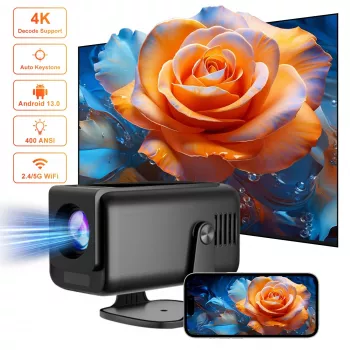
Smart 4K Android Projector: Auto Keystone, 5GHz WiFi
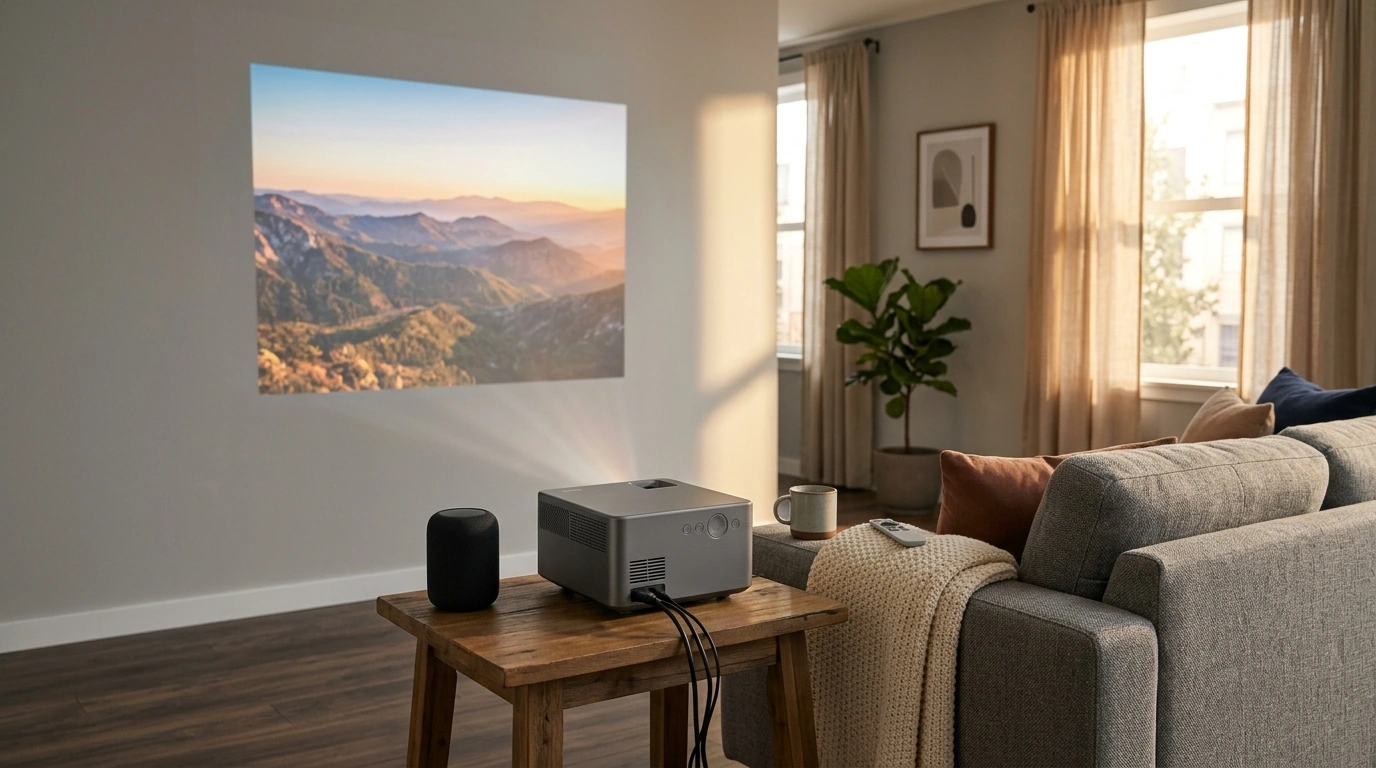
A compact home projector can be a practical alternative to a TV for movie nights, casual gaming, and streaming in almost any room. A smart Android projector like the 4K Smart Android Projector with Auto Correction, 5G WiFi, and Bluetooth is designed to make setup feel quick and repeatable, even when the projector moves from a bedroom to a living room shelf (or gets packed away between uses). With auto correction for easier alignment, 5 GHz WiFi for smoother streaming on compatible networks, and Bluetooth for simple audio upgrades, it’s an all-in-one option for everyday entertainment without turning your space into a cable maze.
What This Projector Is Built For
- Quick, flexible setup for bedrooms, living rooms, apartments, and dorms where a fixed TV isn’t ideal.
- Streaming-friendly use via Android apps, which can reduce the need for extra devices (app availability varies by region/provider).
- Wireless convenience for casting and audio pairing to help cut down on clutter.
- Everyday versatility for kids’ shows, workout videos, presentations, and even backyard movie nights (with suitable power access and light control).
Key Features That Matter Day to Day
- Smart Android interface for installing and launching compatible streaming apps without a separate streaming stick in many setups.
- Auto correction to help align the picture when the projector isn’t perfectly centered or level.
- 5G WiFi support (5 GHz) for smoother streaming and faster screen mirroring on compatible routers (real-world performance depends on interference and distance).
- Bluetooth for pairing speakers, soundbars, or headphones (latency depends on the audio device and codec).
- 4K support for playing compatible content (final on-screen detail depends on the projector’s native resolution plus your source/output settings).
For a quick primer on the underlying wireless standards, the Wi‑Fi Alliance’s overview of Wi‑Fi 5 (802.11ac) and the official Bluetooth technology overview are helpful reference points.
Auto Correction: What It Fixes and What It Can’t
Auto correction is most valuable when the projector gets moved often—switching rooms, changing throw distance, or swapping between a table and a shelf. Instead of manually nudging the unit over and over, correction tools can help square the image and fit it to your wall or screen faster.
- What it helps with: straightening and fitting the image when projecting from a moderate angle or slightly off-center position.
- Why it saves time: it reduces “trial-and-error” repositioning when you’re setting up for a quick show or an impromptu movie night.
- What it needs to work well: a flat projection surface and reasonably even lighting.
- Its limits: extreme angles can still lead to softer edges and uneven focus; closer-to-center placement typically looks sharper and more uniform.
For best results, start with a stable surface, keep the lens clean, and avoid heavy wall texture whenever possible. Auto correction can polish the final framing, but it can’t fully replace good placement.
Wireless Setup: 5G WiFi and Bluetooth in Practical Terms
Wireless features are where a smart projector can feel “instant” compared to a traditional living-room setup. Instead of routing HDMI and audio cables across a walkway, you can keep the setup cleaner and more flexible.
At-a-Glance Specs and Buying Checklist
| Item to check | Why it matters | Quick tip |
|---|---|---|
| Projection surface | A smooth, light-colored wall or screen improves clarity | Use a screen or flat painted wall; avoid heavy texture |
| Room lighting | Ambient light can wash out the image | Dim lights or use curtains for daytime viewing |
| WiFi band | 5 GHz can improve streaming smoothness | Use 5 GHz when close to the router; switch to 2.4 GHz if far away |
| Bluetooth audio | Better sound quality and volume | Pair a soundbar/speaker; re-check sync in video apps |
| Placement angle | Extreme angles can reduce edge sharpness | Start centered; let auto correction fine-tune |
Where This Fits Best (And When Another Option May Be Better)
If the room’s lighting is the biggest limitation, upgrading overhead lighting can help you control glare and create a more theater-like feel. For example, a statement fixture such as the Heart Shaped Crystal Ceiling Light can be part of a room refresh—then pair it with dimmable lamps or curtains to better manage viewing conditions.
Care, Maintenance, and Longevity
If you regularly watch HDR content, it’s useful to understand how HDR is handled across devices and sources. Rtings provides a clear overview of HDR basics, including why content and settings can affect the final image.
Shop In-Stock Picks
- 4K Smart Android Projector with Auto Correction, 5G WiFi, and Bluetooth — a flexible, streaming-ready projector built for quick setup and wireless convenience.
- Heart Shaped Crystal Ceiling Light — a room-upgrade option that pairs well with a cozy viewing space when combined with better light control.
FAQ
Does auto correction work if the projector is placed at an angle?
Auto correction can straighten and fit the picture for moderate angles and off-center placement. If the projector is pushed to an extreme side angle, edge sharpness and uniform focus can still suffer, so starting closer to center and using correction to fine-tune usually looks best.
What is the benefit of 5G WiFi on a projector?
5 GHz WiFi can offer higher speeds and less interference than 2.4 GHz, which may help streaming and screen mirroring feel smoother. The tradeoff is shorter range through walls, so the best band depends on how close the projector is to your router.
Can Bluetooth be used to connect a soundbar or headphones?
Yes—Bluetooth is commonly used to pair external audio like soundbars, speakers, or headphones. Because latency varies by device, you may need to adjust audio delay in apps, or switch to a wired/low-latency option if precise lip-sync is critical.












Leave a comment